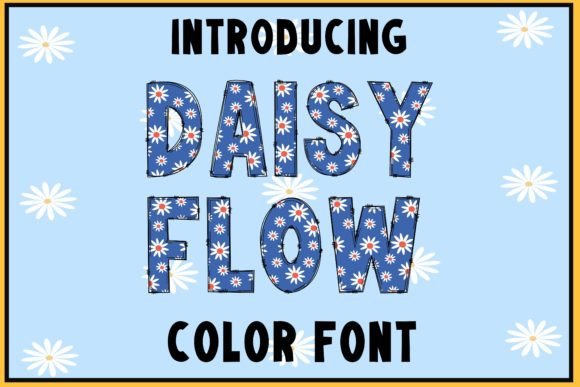
Daisy Flow: A Cheerful Color Font for Creative Projects
There’s something instantly joyful about a design that uses color and typography in harmony. It catches the eye, evokes a feeling, and makes a message stick. For creators looking to inject that kind of energy into their work, a font like Daisy Flow offers a unique solution. This isn't just another typeface; it's a color font built with vibrant, built-in hues that can transform a simple word into a visual centerpiece.
Understanding the Color Font Revolution
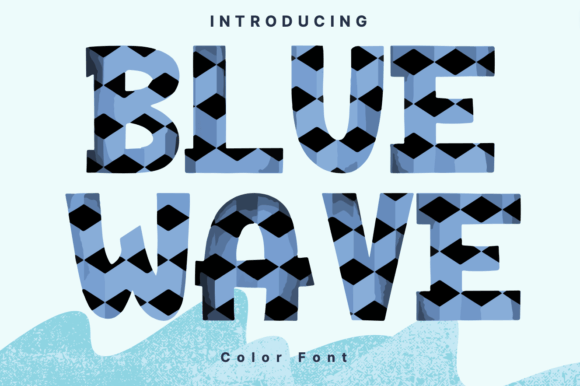
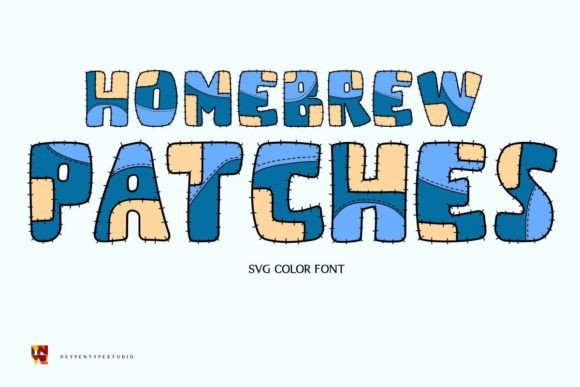
Before diving into applications, it helps to know what sets Daisy Flow apart. Traditional fonts are monochrome—they rely on the color you assign in your design software. A color font, specifically an OpenType-SVG font like Daisy Flow, embeds color information, gradients, and even texture directly into the font file itself. This means when you type, you get a multi-colored, often textured result immediately. It’s a premium font technology that brings illustrations into your typography workflow.
For those using Adobe Photoshop, Illustrator, Silhouette Studio, or Inkscape, this opens up incredible creative possibilities. It’s important to note the compatibility specifics: this type of display font works seamlessly in those programs but has limitations with cutting machines like Cricut, which require solid, single-color vectors. Always check the Ultimate Font Guide provided to ensure your software supports OpenType-SVG features before purchasing.
Practical Applications Across Creative Fields
The true value of any design asset lies in its versatility. Daisy Flow’s bright, cute, and fun aesthetic makes it particularly suited for projects that aim to feel approachable, energetic, and modern. Here’s how different professionals can leverage it:
- Branding and Logo Design: For businesses targeting a youthful, playful, or feminine audience—think bakeries, florists, children’s boutiques, or lifestyle bloggers—this font can become the cornerstone of a brand identity. Use it for your main logotype or a secondary brand mark to instantly communicate personality.
- Packaging Design: Imagine the product name on a soap label, a candle jar, or a snack bag rendered in Daisy Flow. The built-in color and texture add a handmade, artisanal quality that stands out on a shelf.
- Social Media Graphics: In the fast-scrolling world of Instagram or Pinterest, a bold, colorful headline is gold. Use it for quote graphics, sale announcements, or profile highlights to boost audience engagement and make your feed visually cohesive.
- Digital Products and Marketing Assets: From webinar slide titles to eBook chapter headers or email newsletter graphics, Daisy Flow can make digital content feel more polished and professional, improving brand recognition across platforms.
- Invitations and Editorial Layouts: Party invitations, greeting cards, or magazine feature titles benefit from a font that carries its own decorative flair, reducing the need for additional graphic elements.
- Merchandise and Print Materials: While complex for some direct printing, it can be perfect for sublimation prints on mugs, t-shirts, or posters where its full color can shine.
Integrating Daisy Flow into Your Design Workflow
Adding a creative font like this to your library is just the first step. Using it effectively requires some strategic thinking. The goal is to enhance your project, not overwhelm it.
1. Font Pairing is Key. A vibrant, textured display font is rarely meant for body text. Its strength is in headlines, titles, and short bursts of impactful text. Pair it with a clean, simple sans serif font or a neutral serif font for longer paragraphs. This contrast ensures readability while letting Daisy Flow command attention where it matters most.
2. Test for Context and Readability. Always view your design at the size it will be seen. A font that looks stunning on a large poster might lose detail on a small mobile screen. Zoom in and out. Check the legibility of individual letters, especially in words with similar characters. The visual consistency of your message depends on your audience being able to read it effortlessly.
3. Align with Project Goals. Ask yourself: does this font’s personality match the project’s tone? Daisy Flow’s cheerful vibe is perfect for a summer sale but might not suit a formal corporate report. Choosing the right font style is about matching emotion to objective.
4. Explore the Included Styles. Many premium fonts come with multiple styles or weights. Review all the files included in your purchase. You might find alternate characters, ligatures, or complementary styles that offer more flexibility for your modern typography needs.
5. Mind the Licensing. For any commercial font, understanding the license is non-negotiable. Ensure the license covers your intended use, whether it’s for client work, merchandise for sale, or digital products. This protects you legally and ensures you’re using the asset ethically.
A Tool for Visual Storytelling
Ultimately, typography is a tool for communication. A font like Daisy Flow doesn’t just spell out words; it conveys an emotion—a sense of fun, creativity, and approachability. For the small business owner crafting their brand’s visual voice, the designer seeking a standout element for a layout, or the content creator aiming to make their graphics pop, it represents a specific kind of solution.
It’s about making a deliberate choice. Instead of adding a color overlay to a standard script font or handwritten font, you start with a tool designed for vibrant impact. This can streamline your design process, ensure color consistency across applications, and ultimately help your work connect more powerfully with its intended audience. In a crowded visual landscape, that kind of thoughtful detail can make all the difference.